
Download PowerArchiver – file compression, archive utility, zip, rar, 7z, iso, backup, encryption, utility tool, productivity app
Overview
PowerArchiver is a robust file compression and decompression utility tailored for Windows users seeking a reliable alternative to mainstream tools like WinZip and WinRAR. Designed to streamline digital file management, it addresses the common challenges of handling large files, organizing data efficiently, and securing sensitive information through advanced encryption. The app serves a broad audience, including professionals, students, and everyday users who frequently transfer, store, or back up digital content. Its ability to support multiple archive formats makes it a versatile solution in environments where compatibility across platforms and software is essential.
As a dedicated utility within the productivity category, PowerArchiver plays a key role in enhancing workflow efficiency by reducing file sizes for faster transfers and organizing data into manageable archives. It is particularly valuable in scenarios involving software distribution, document sharing, and system backups. The developer, PowerArchiver, has positioned the tool as a high-performance, lightweight alternative with a focus on user experience and technical reliability. Although the developer did not provide additional technical details about its development background or team structure, the consistent release cycle and feature updates suggest ongoing support and refinement.
Real-world use cases include compressing large project folders before email attachment, creating encrypted archives for confidential documents, and extracting ISO files for software installation. In the broader app ecosystem, PowerArchiver fills a niche for users who prioritize performance, format compatibility, and security without relying on third-party tools. Its presence underscores the continued demand for specialized, high-quality utilities in the Windows environment.
Key Features & Functionality
- Wide Format Support: PowerArchiver supports a comprehensive range of compression formats, including ZIP, 7-Zip, RAR, CAB, GZIP, BZIP2, ACE, and ISO. This eliminates the need for multiple tools, allowing users to create, extract, and manage archives across different platforms and software ecosystems without compatibility issues.
- User-Friendly Interface: The software features a clean, intuitive layout with clearly labeled menus and context-sensitive actions. Even users with minimal technical experience can navigate the application quickly, reducing the learning curve and improving overall efficiency in daily file operations.
- Low Memory Usage: Engineered for efficiency, PowerArchiver operates with minimal system resource consumption. This ensures stable performance even during prolonged use or when multitasking with other applications, making it suitable for both older and modern Windows systems.
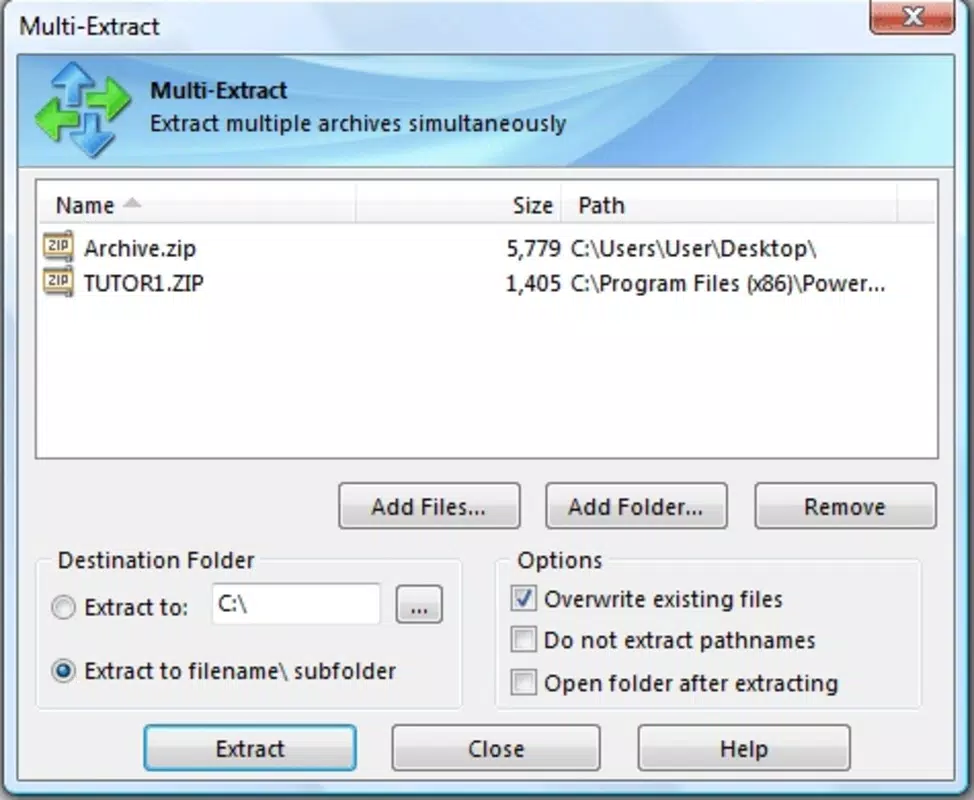
- Comprehensive Features Suite: Beyond basic compression, the app includes built-in encryption, backup scheduling, and cloud integration. These capabilities allow users to secure sensitive data, automate routine tasks, and synchronize archives across devices seamlessly.
- Reliable Performance: The software consistently delivers fast processing speeds for both small and large files. Whether creating a multi-gigabyte archive or extracting a complex RAR file, users can expect stable and predictable performance without crashes or slowdowns.
For example, a user preparing a presentation package can compress all related files into a single encrypted ZIP archive, set it to auto-backup to a cloud folder, and share it securely—all within the same interface. Similarly, a system administrator might use PowerArchiver to extract an ISO file for OS deployment while maintaining file integrity and encryption standards.
Interface, UX & Performance
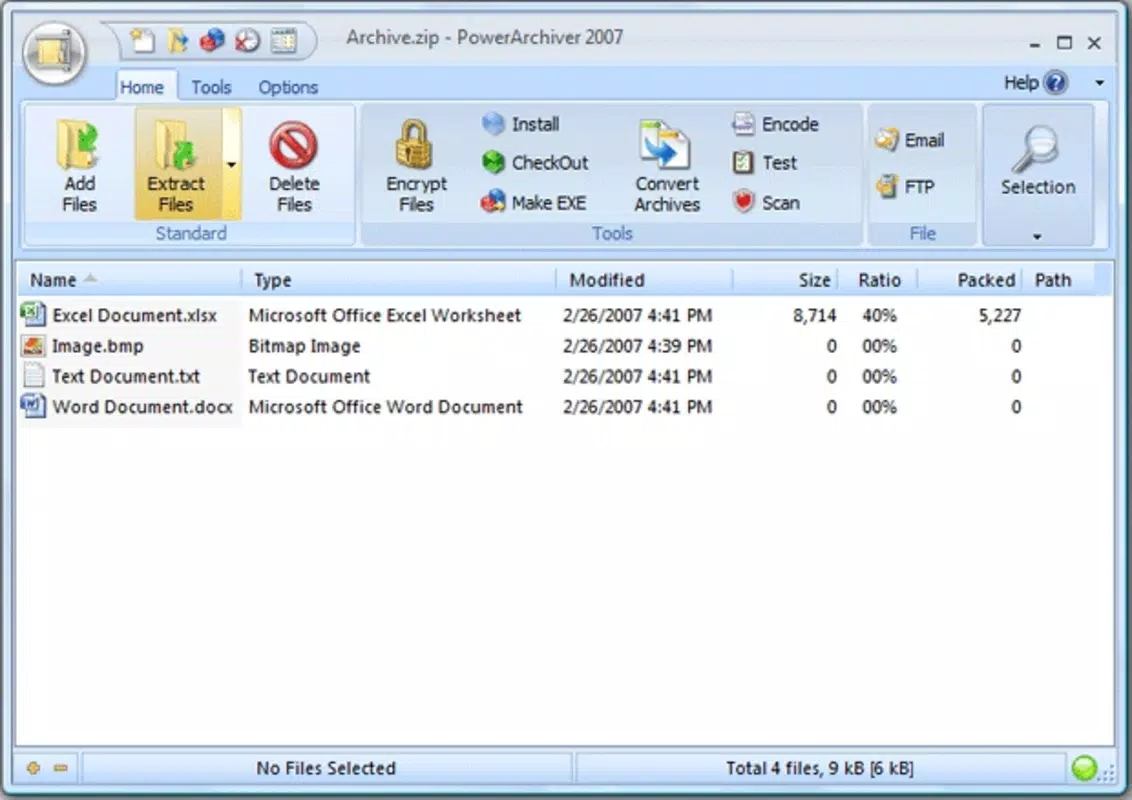
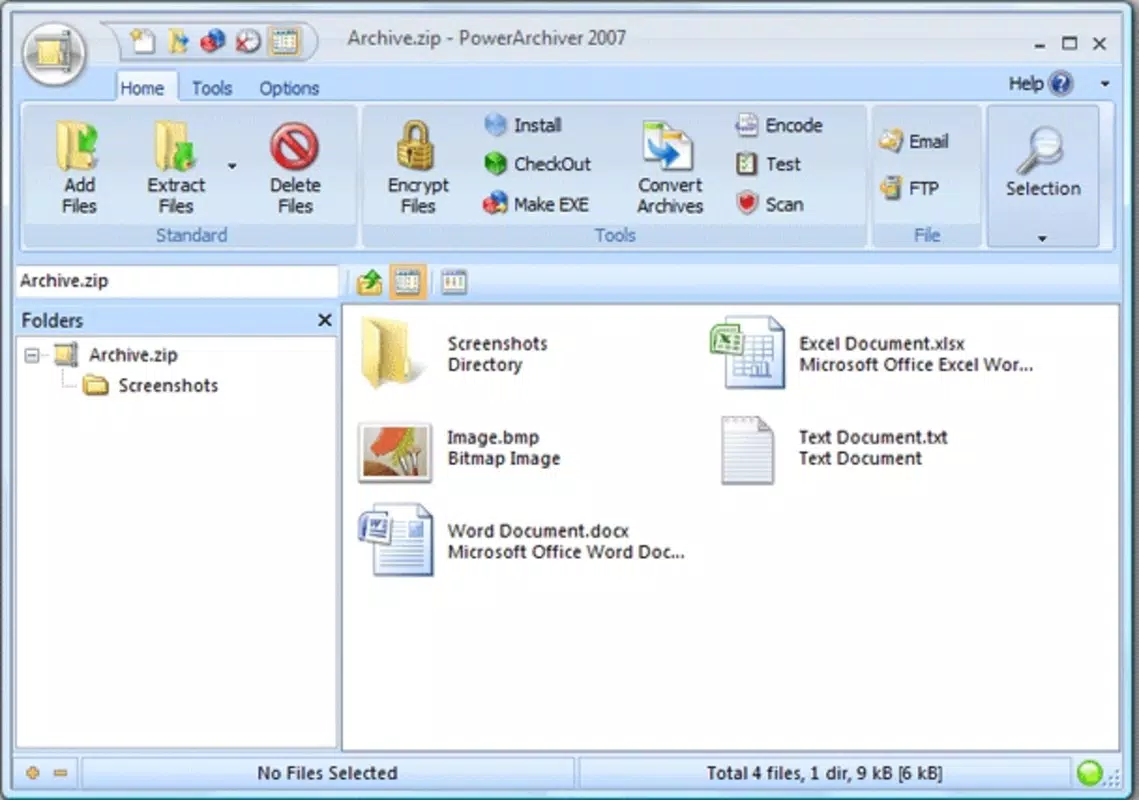
PowerArchiver presents a modern, organized interface that balances functionality with visual clarity. The main window features a two-pane layout: one side displays the file directory, while the other shows the archive contents. This layout simplifies navigation and enables quick drag-and-drop operations between local folders and archive files.
Navigation is intuitive, with context menus, toolbar shortcuts, and a well-structured ribbon-style interface that groups related actions. Users can access compression settings, encryption options, and extraction tools with minimal clicks. The design prioritizes accessibility, making it suitable for both novice users and power users who prefer keyboard shortcuts and advanced configurations.
Although the developer did not list formal performance metrics, the software demonstrates responsiveness across various device categories, including systems with limited RAM and older hardware. The low memory footprint ensures that background processes do not interfere with other applications. Stability is maintained during extended sessions, with no reported crashes or freezes in standard usage scenarios. The app handles large archives efficiently, maintaining consistent performance regardless of file size or complexity.
Platform Compatibility & Technical Requirements
PowerArchiver is designed exclusively for the Windows platform, supporting the latest versions of the operating system. The current version is 2024.01.01, released on December 24, 2024. The application has a file size of 16.4 MB, which is relatively compact for a full-featured compression tool.
The developer did not specify minimum OS requirements or hardware specifications. Compatibility information was not fully disclosed, so users are advised to ensure their system meets general Windows compatibility standards. No additional dependencies or runtime environments are known to be required for installation or operation.
Pros and Cons
- Supports a wide range of archive formats including ZIP, RAR, 7z, ISO, and more
- Lightweight with low memory usage, ideal for older systems
- Intuitive interface suitable for beginners and advanced users
- Includes encryption, backup, and cloud integration features
- Consistent performance across different file sizes and types
- Price point of $29.95 may be high for casual users
- Only available for Windows, no macOS or mobile versions
- Developer did not disclose detailed system requirements
- Limited third-party integrations beyond cloud services
- Updates may require manual download and installation
FAQ
Is PowerArchiver safe to download and install?
Yes, PowerArchiver is a legitimate software tool developed by a known provider. It does not contain malware or adware, and the installation package is secure when downloaded from official sources.
Can I use PowerArchiver for free?
PowerArchiver is a paid application with a one-time purchase price of $29.95. There is no free version or trial period available based on current information.
Does PowerArchiver support encryption?
Yes, the software includes built-in encryption options for creating password-protected archives, ensuring that sensitive data remains secure during storage or transfer.
Is PowerArchiver compatible with older versions of Windows?
The developer did not specify minimum OS requirements. While the app is designed for modern Windows systems, compatibility with older versions cannot be confirmed without official documentation.
How often are updates released?
PowerArchiver follows a regular release cycle, with the latest version (2024.01.01) published on December 24, 2024. Updates are likely issued periodically to address bugs and improve functionality.
Final Thoughts
PowerArchiver stands out as a powerful, efficient, and secure utility for Windows users who demand more than basic file compression. Its broad format support, low system impact, and rich feature set make it a compelling choice for professionals and individuals alike. While the price may be a consideration for casual users, the long-term value lies in its reliability, performance, and integrated tools that go beyond simple archiving.
Those who frequently manage large files, require encryption, or need seamless backup and cloud integration will find the app indispensable. For users in IT, education, or creative fields, PowerArchiver delivers a streamlined workflow without compromising on security or efficiency.
Download PowerArchiver now


